Orisha Agrifood
Técnicas de Informática Profesional, Servicios y Asesoría
AppSource
 Gestión de Graneles | Dynamics 365 Business Central
Gestión de Graneles | Dynamics 365 Business Central 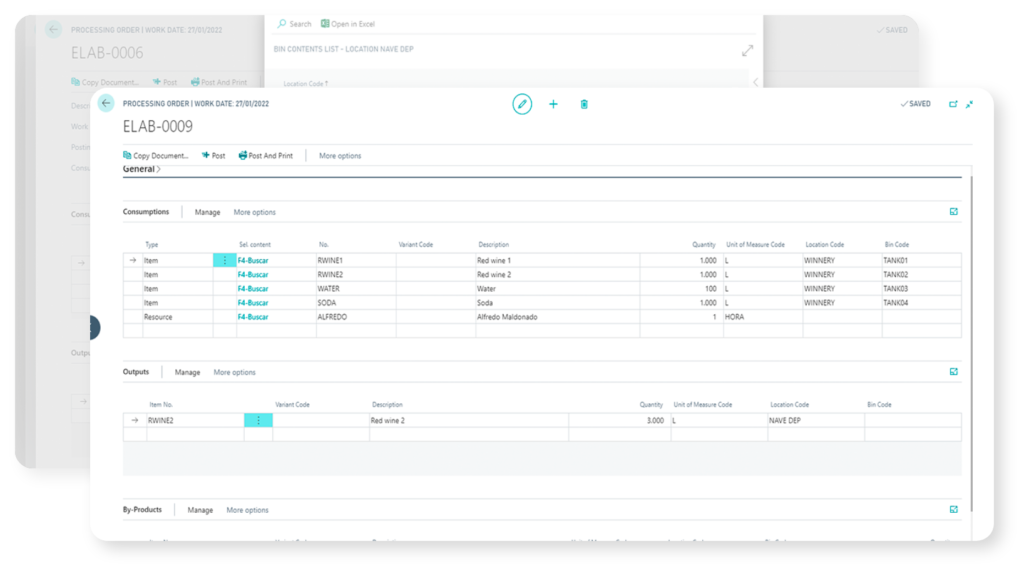
Esta aplicación está dirigida a aquellas empresas que trabajan con graneles (líquidos, granos, semillas…) y requieren una gestión eficiente de movimientos de granel.
La utilizan con frecuencia bodegas, fabricantes de aceite de oliva, destilerías, empresas de bebidas, industrias químicas y otras empresas que trabajan con líquidos en formatos a granel. Construida para Dynamics 365 Business Central, esta aplicación gestiona los procesos que transforman los graneles de entrada en productos (granel) intermedios, subproductos o productos finales. Administra los insumos de mano de obra (personal y máquinas); el consumo de recursos (productos enológicos, materias primas…); los trabajos y tareas (coupages, mezclas, traslados, tratamientos…); la gestión de costes; el control de los movimientos de almacén / depósitos y la gestión de mermas.
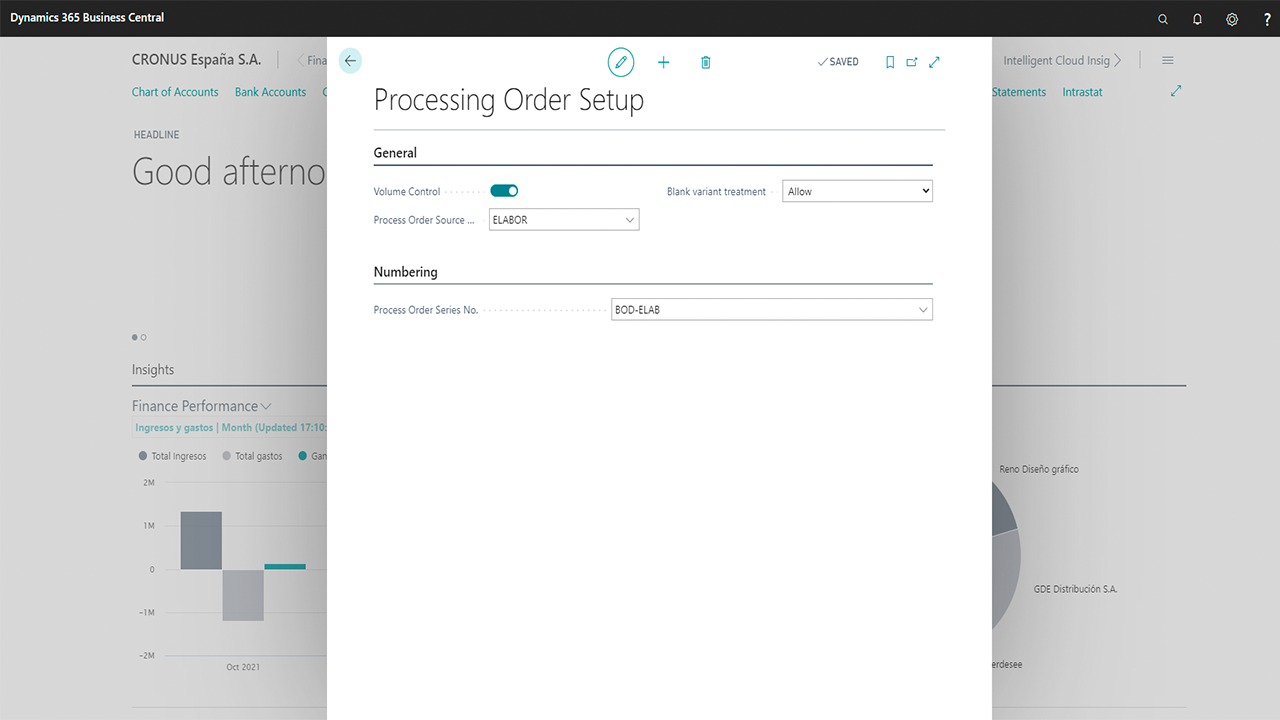
Proporciona una correcta configuración para administrar graneles, realizar homogeneizaciones, monitorizar la llevanza de trazabilidad (seguimiento de lotes producto) y mantener un control exhaustivo de las órdenes de elaboración en el momento de editar y/o registrar líneas de consumo, subproductos, productos de salida, mermas o comentarios.
Un adecuado manejo de la aplicación exige conocer cómo:
- Configurar almacenes
- Configurar productos, ubicaciones y graneles
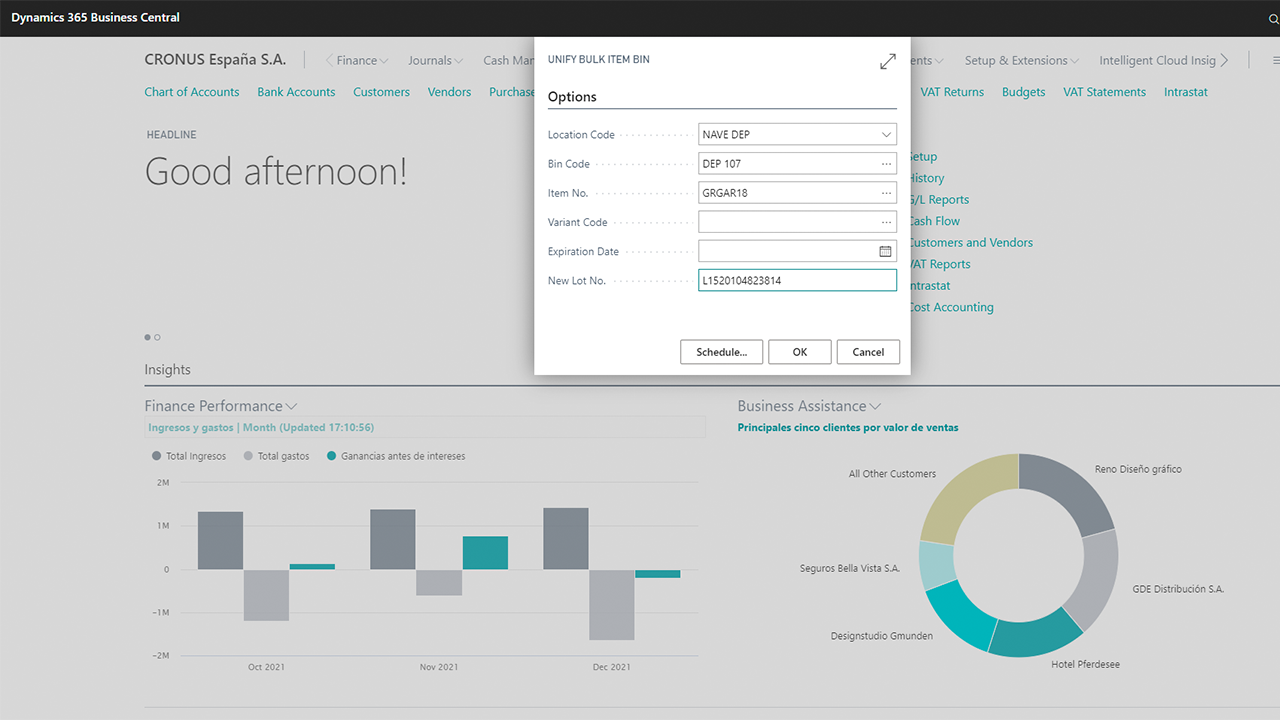
- Gestionar homogenizaciones
- Indicar la obligatoriedad de seguimiento producto
- Realizar consultas sobre ubicaciones y los contenidos de granel
- Trabajar con partes de elaboración (cabecera, líneas de consumo, productos de salida, función “copiar parte”, comentarios)
- Acceder y navegar a través del histórico de partes
English Version
Solution Overview
End-to-End Winery Management Solution Built with Dynamics 365 Business Central
- This app for Dynamics 365 Business Central is addressed to those companies that work with bulks items (liquids, grain, bean, seed) and require managing bulk movements as an ordinary activity. It is often used by wineries, olive oil manufactures, distilleries, beverage enterprises, chemical industries and other companies that work with bulk formats.
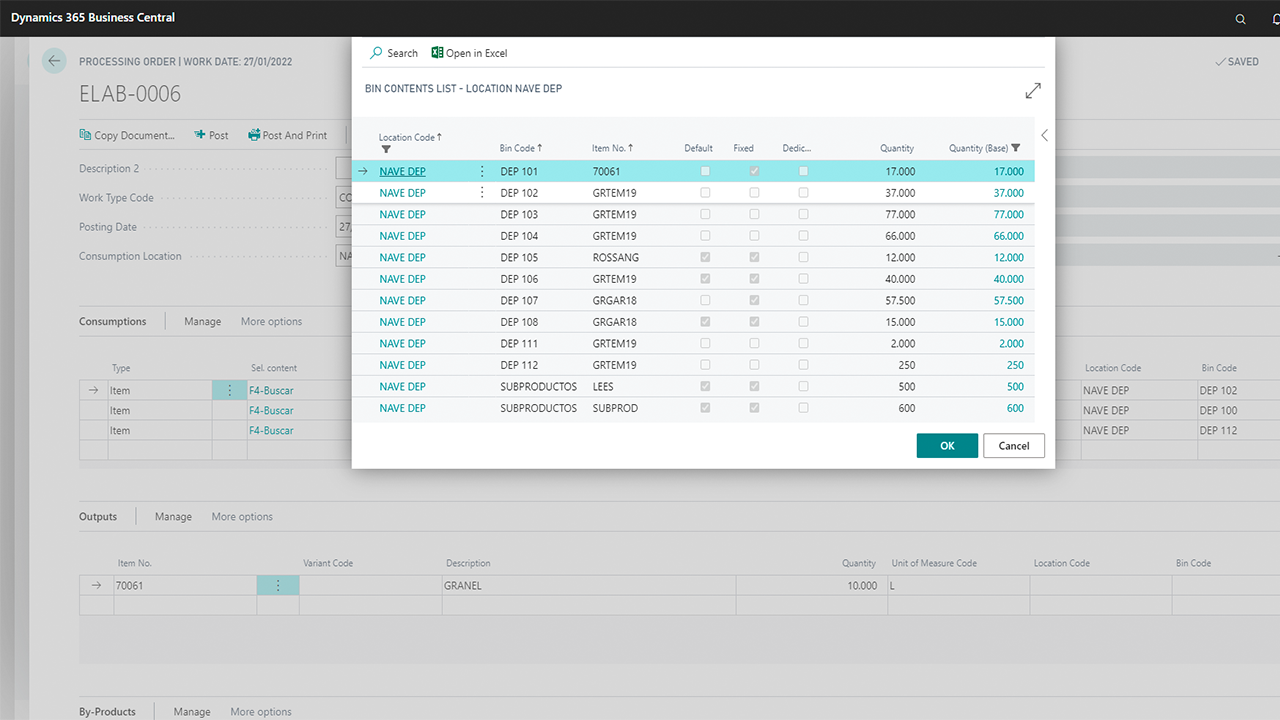
- This application manages the processes that transform bulk input products into intermediate products, by-products or end products by considering workforce inputs (staff and machines), material consumption (oenological products, raw materials…), jobs & tasks (coupages, blending, transfers, treatments…), costs, warehouse / tanks movements or losses. Consequently, the user need to know how to work efficiently with work processing orders and related bin contents.
- Supported Editions: The app supports the Essentials and Premium Editions of Microsoft Dynamics 365 Business Central. Supported Countries: Spain. Supported Languages: This app is available in English (United States) and Spanish (Spain).
Quick support guide | English
Using this quick guide you will be able to work with bulk items movements at manufacturing processes.
This Apps provides full configuration capabilities for managing: Vintage Management; Brand Codes; Vintage Codes; Wine Colour Codes; Wine Qualification Codes; Bottle Format Codes; Packaging Format Codes; Appellation Codes; Grape Variety Codes; IGP Codes; or Winegrowing Region Codes.
Login and download our detailed spanish guides and materials.
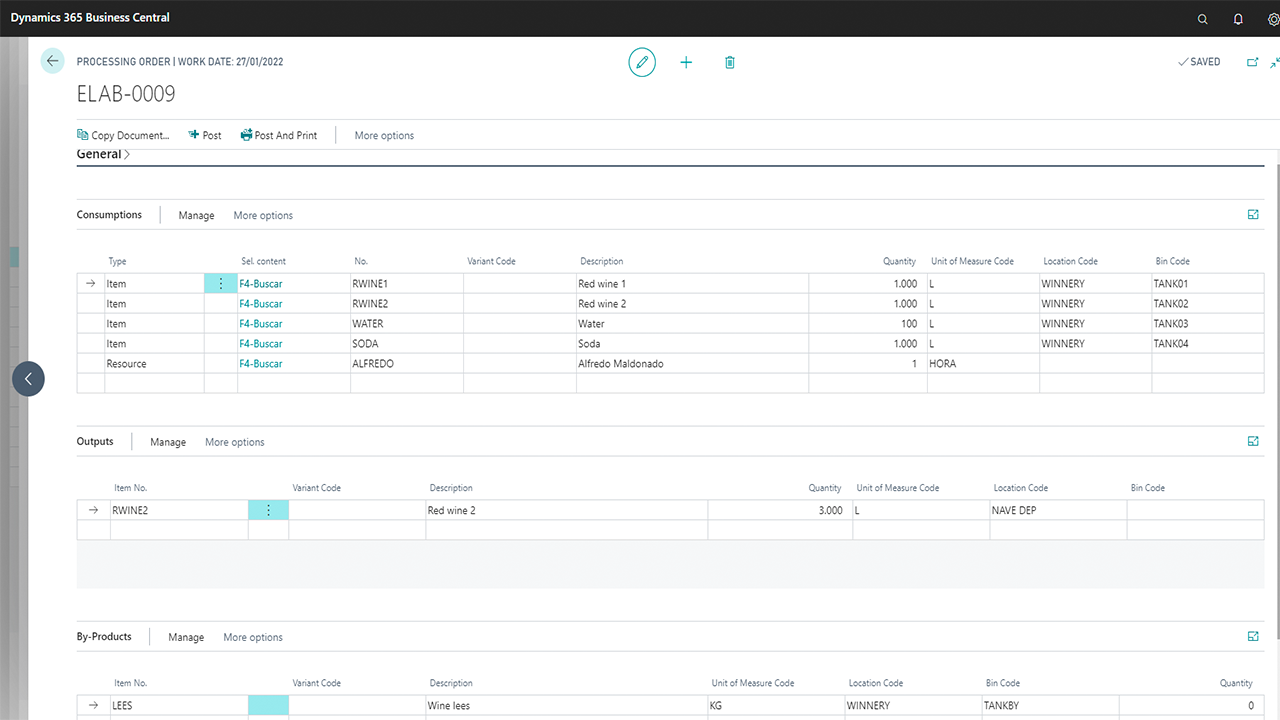
1. Work processing orders are structured as follows:
General
In this drop-down tab the general data of the part will be indicated. You need to complete the following information:
– Number: It is the code that identifies the work order; normally we use an automatically serial number.
– Description: It is a short description that informs about the work that we are working on.
– Owner: Person responsible for this task. After chosing this resource, the “responsible name” field will be automatically filled.
– Work type code: Use this field to indicate the type of work.
– Date and time: It explains when the work processing order will be registered.
– Losses: You can identify the losses that have happened using this work order.
– Volume test: Select this field to indicate that total volumes of input and output lines must be the same.
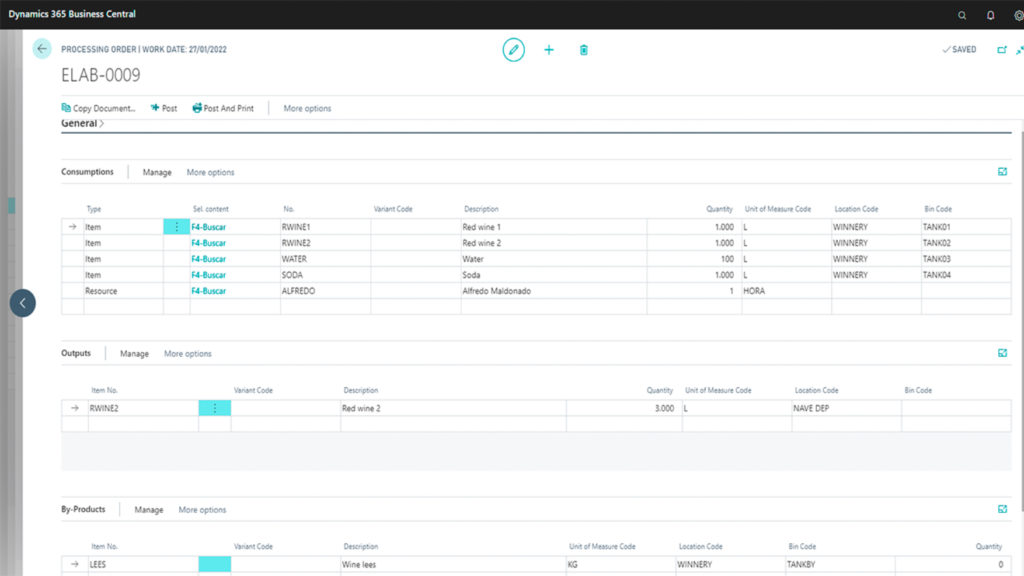
2. Input lines | Consumptions
Input products must be written in this drop-down tab. Lines will indicate the following information: product code, variant, warehouse / tank, batch number and quantity. You can use filters to navigate between warehouse / bins.
Users can write the resource type for each line. They are about the people, machines, by-products and time required at this production stage.
Cost of these inputs (products and resources) will be charged to the outputs if the “assume costs” field is marked.
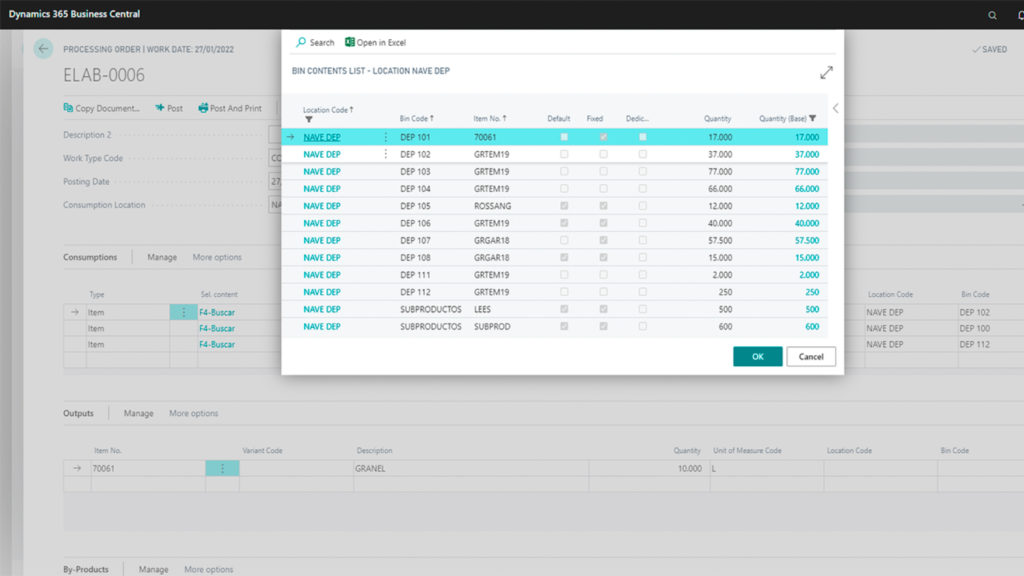
3. Output
This drop-down tab shows the products that are at the end of this production process. Outputs only can be products. Output lines may contain the following details: product code, variant, warehouse / tank, batch number and quantity.
Work processing orders must contain the same information at inputs and outputs sections. Volume must be also the same. In the event of looses, they can be managed through the losses field placed at the General tab, or by indicating a waste type product in the outputs section.
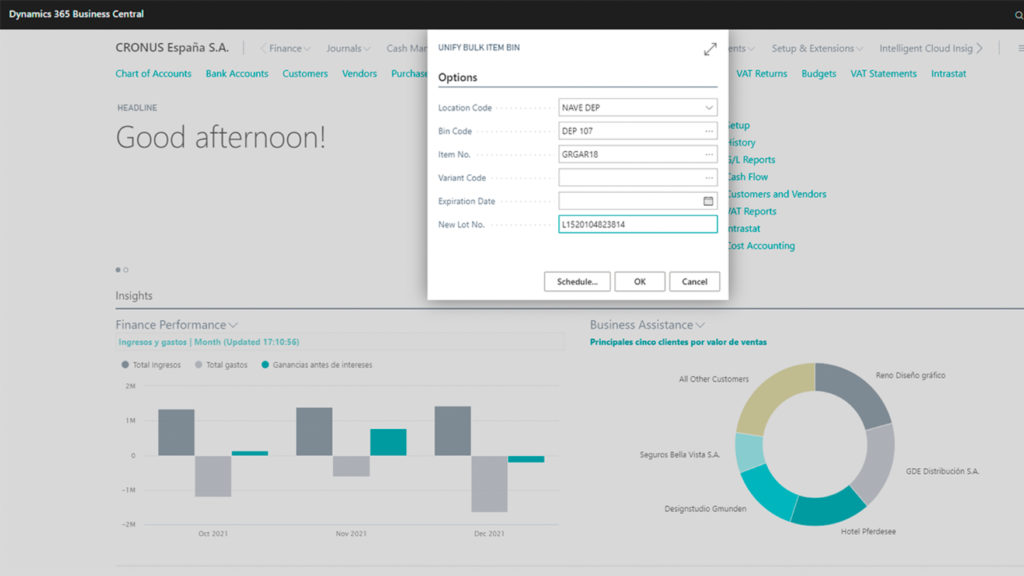
4. Register
Once the work processing order is ready, you can register it. Then, movements will be applied. Registered work processing orders can be found in their archive.
You can obtain extra help support by login in our private learning portal. Only available for active subscriptions.
Solución certificada. Disponible en Microsoft Appsource